



You are opening our English language website. You can keep reading or switch to other languages.

Redesigning Educational Platform for a Non-Profit Organization

Redesigning Educational Platform for a Non-Profit Organization

Client

Girls Who Code is an international non-profit organization that aims to support and increase the number of women in computer science. With their Summer Immersion Program, after-school Clubs, College Loops program, and New York Times best-selling book series, they lead the movement to inspire, educate, and equip young women with the computing skills to pursue 21st-century opportunities.

The client’s unique pairing of high-quality instruction in programming fundamentals, web development, and more – with exposure to real-world technology companies – is unmatched by any other program.

Challenge

One of the key applications used by students and teachers was an EDU platform, built mostly internally in 2017.

Soon, the product team realized that further development created friction inside the app. Adding more features hampered the user experience in the product, as the old interface version couldn't cope with them. It was high time for a significant UX redesign for the company to be able to move forward, rebuild the app, and introduce a brand-new UI and UX.

The client approached DataArt design team to help them improve the application's usability. By conducting UX audit following pitfalls were identified:
  • Perceptual and Procedural inconsistency: The style and behavior of the same elements were changing from one page to another, preventing the user to understand the whole working principle of the portal.
  • Information overload: Too much information was presented on each screen, leaving a disruptive effect on the user experience.
  • Uncomprehensive Structure: The Navigation structure was not matching with the content structure.

Solution

While taking into account modern market trends and current UI/UX issues we have completely refreshed the overall look and feel of the educational portal creating a more immersive and enjoyable online experience.

What We Did

UX AuditUI DesignInformation Architecture
Wireframing, Prototyping

Architecture

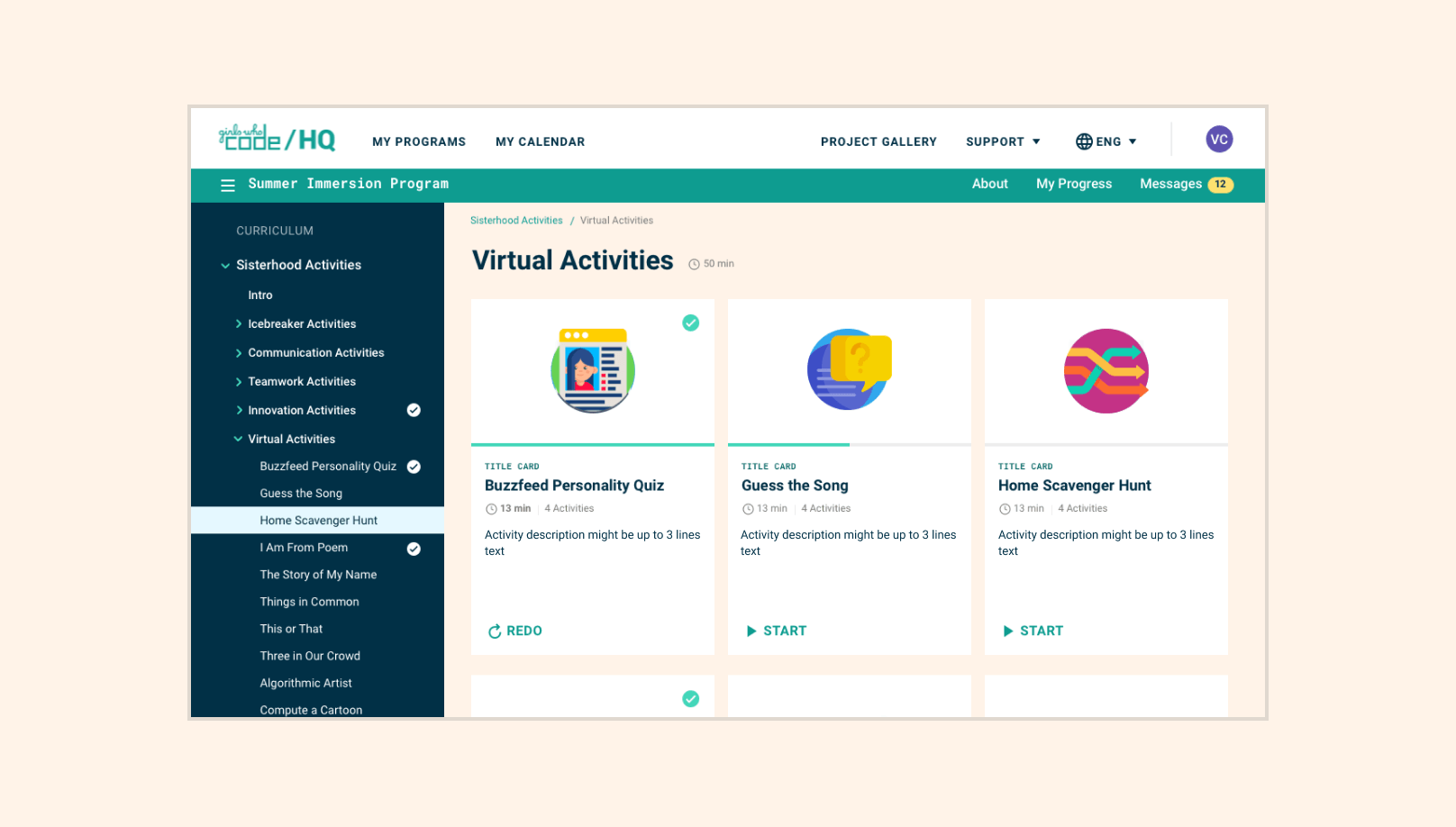
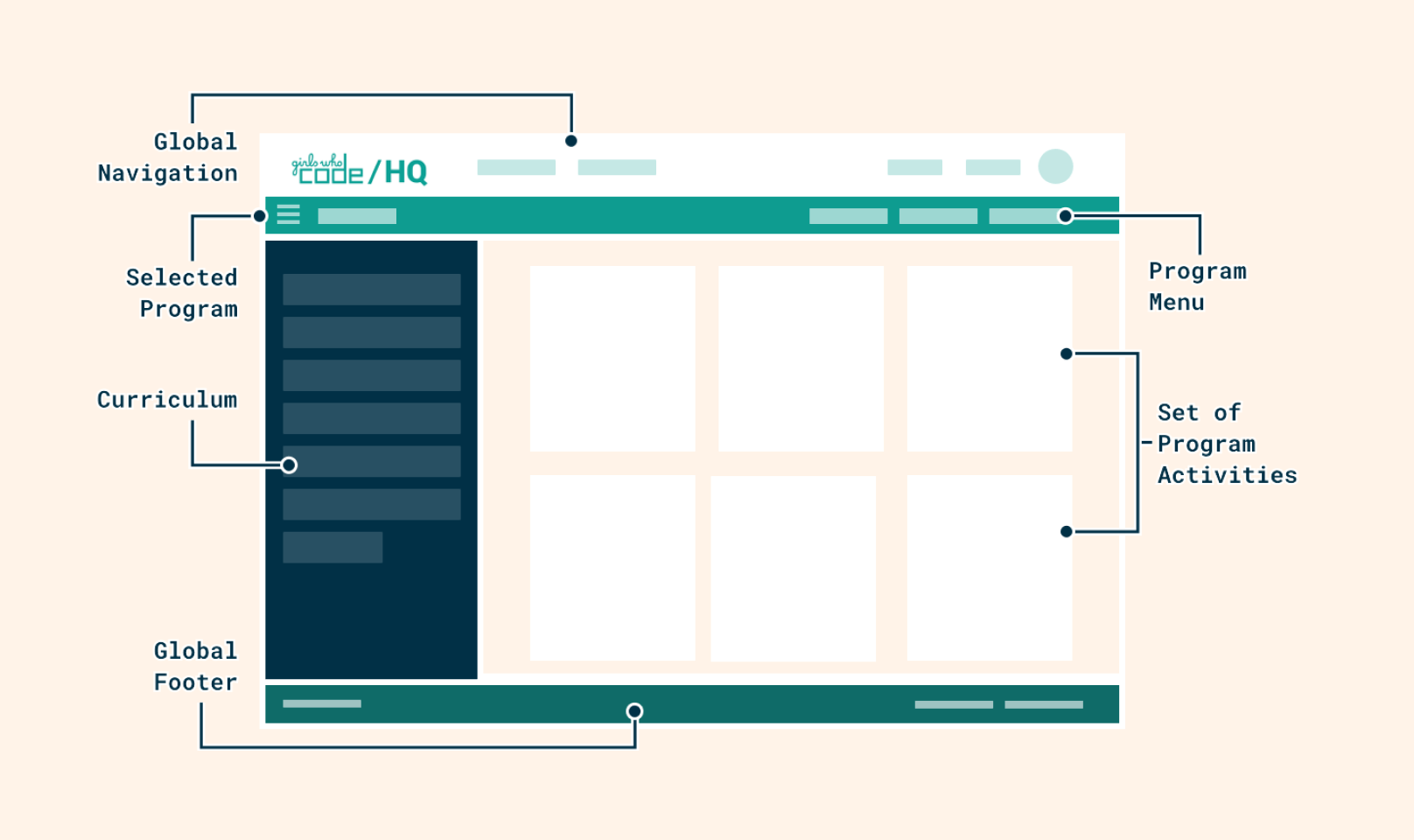
To identify the existing structural problems, we conducted a content audit and, based on the obtained insights, completely changed the information architecture and navigation of the site, making it more comprehensive and intuitive. The new hierarchy reduces the number of steps and makes the main content easily reachable from every point of the website.
Architecture Screenshot

Consistency

The visual design of the portal is based on simplicity. While using light colour palette we support quick connection to the brand and help visitors to avoid distractions. Additionally, due to visual structure achieved with colours and readable fonts users can easily perceive and scan pages.
Consistency Screenshot

Manageability

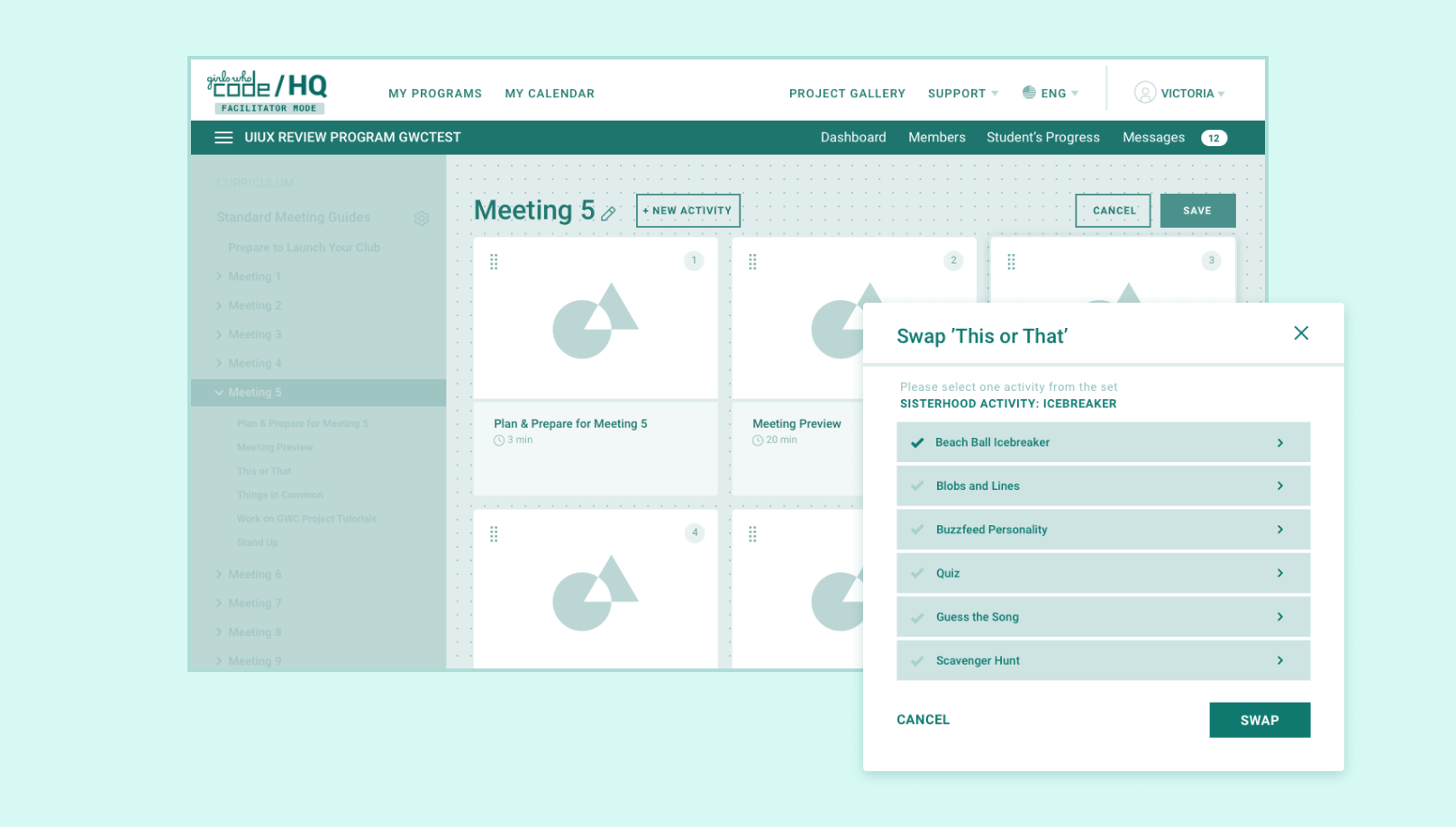
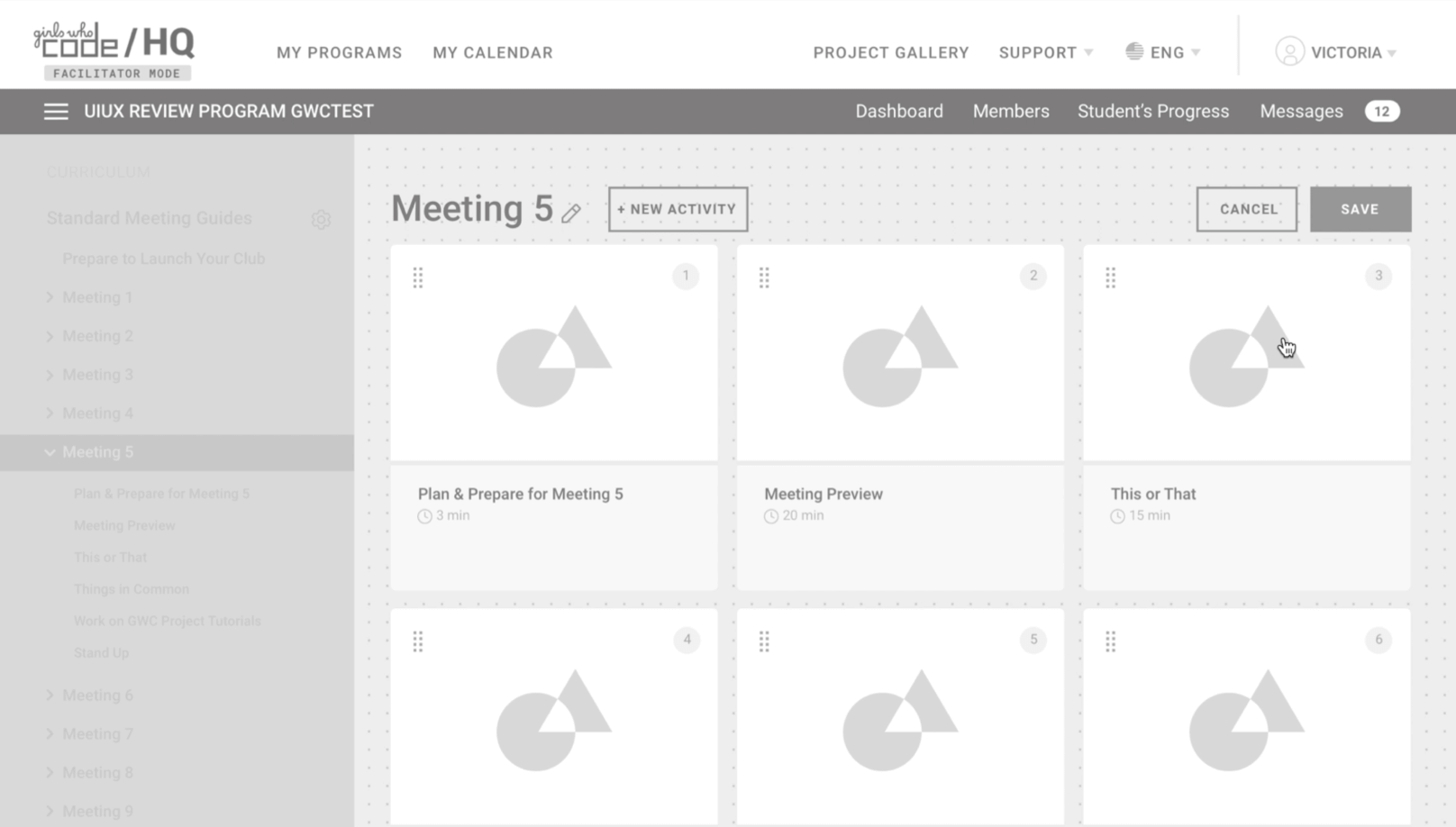
To make the portal more usable we have added small content blocks each of which is manageable and adjustable. In this way users were able to easily edit and upload portal content while maintaining the site’s main communication style without developers' interventions.
Manageability Screenshot

Project Details

After discussing the client's needs, we identified shared priorities and solutions.

The design team started with a thorough analysis of the existing product, the market, and the target. It was crucial to analyze how current users interact with the application to understand better which features should be more prominent and where to put them.

The research aimed to highlight existing usability and user interface issues and propose improvements to the system's functionality and look and feel from a students/teacher standpoint.

Defining User Personas

Taking into account the UX issues that frustrate and block the user from getting what they need from the product, the following user personas were identified:

Girls from 8 to 14
Girls

From 8 to 14

Students from 15 to 24
Students

From 15 to 24

Teachers
Teachers

Running afterschool programs (no previous experience in computer science is required)

Heuristic evaluation was used to examine the interface and judge its compliance with recognized usability principles. This usability engineering method was chosen to assure the iterative design process and to reveal insights that can help design teams enhance product usability from early in development. Moreover, we deepened our analysis of the website by creating detailed test scenarios:

Flow 1 – Daily course interaction:

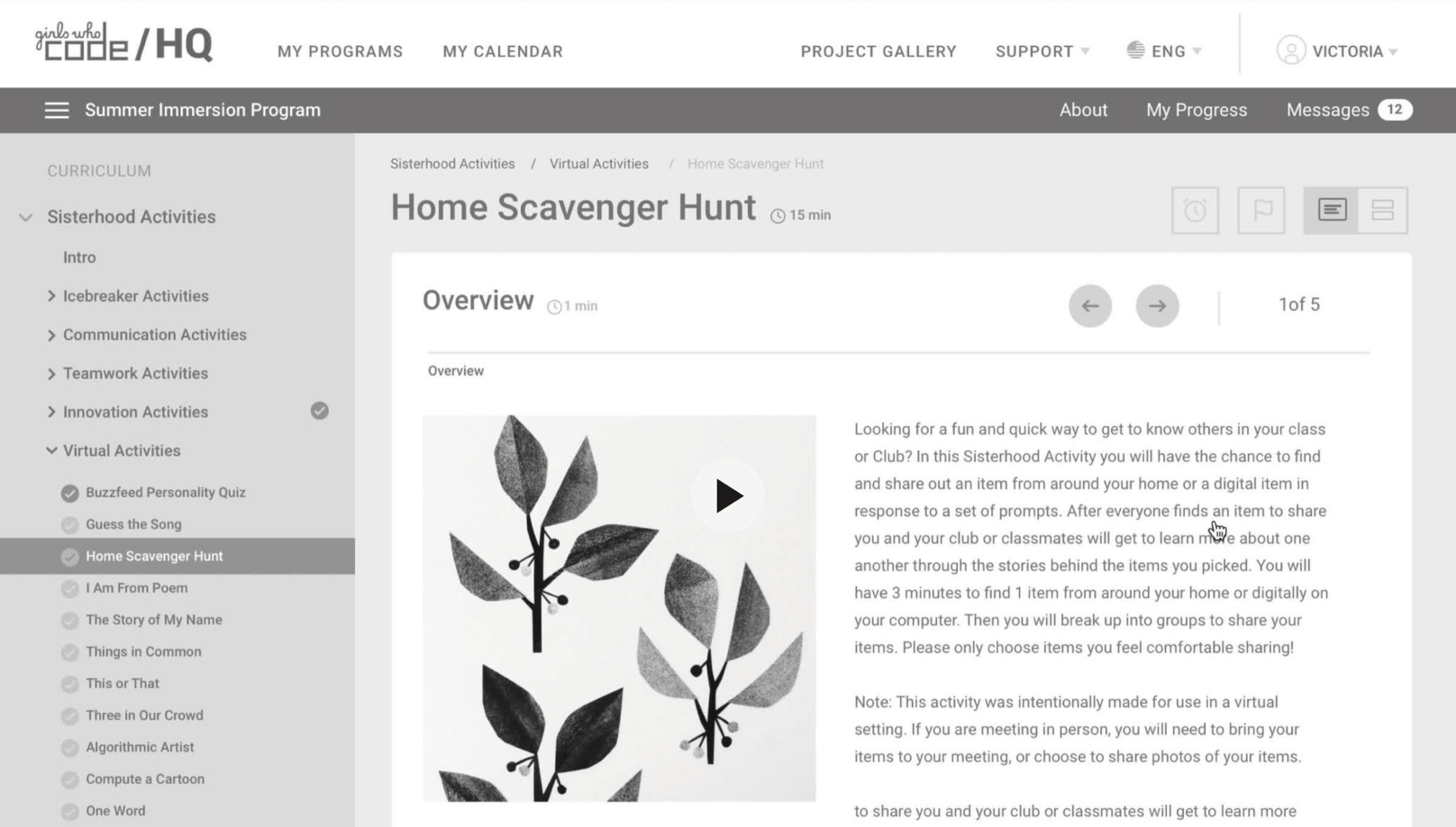
Includes all the steps the user persona is taking during the ongoing course. Start the first module, review the module or post the status update.

Screenshot from the applcation

Flow 2 – Course changing or submitting process:

This flow is described by the user's steps when they want to complete their course and start another one.

Screenshot from the applcation

The results were gathered and presented in a report along with analysis and recommendations to increase the application's ease of use and eliminate often made errors caused by non-user-friendly interface elements.

Improving Customer Journey

Valuable research insights revealed issues preventing the user journey from being more intuitive.

Error Messages In the Forms

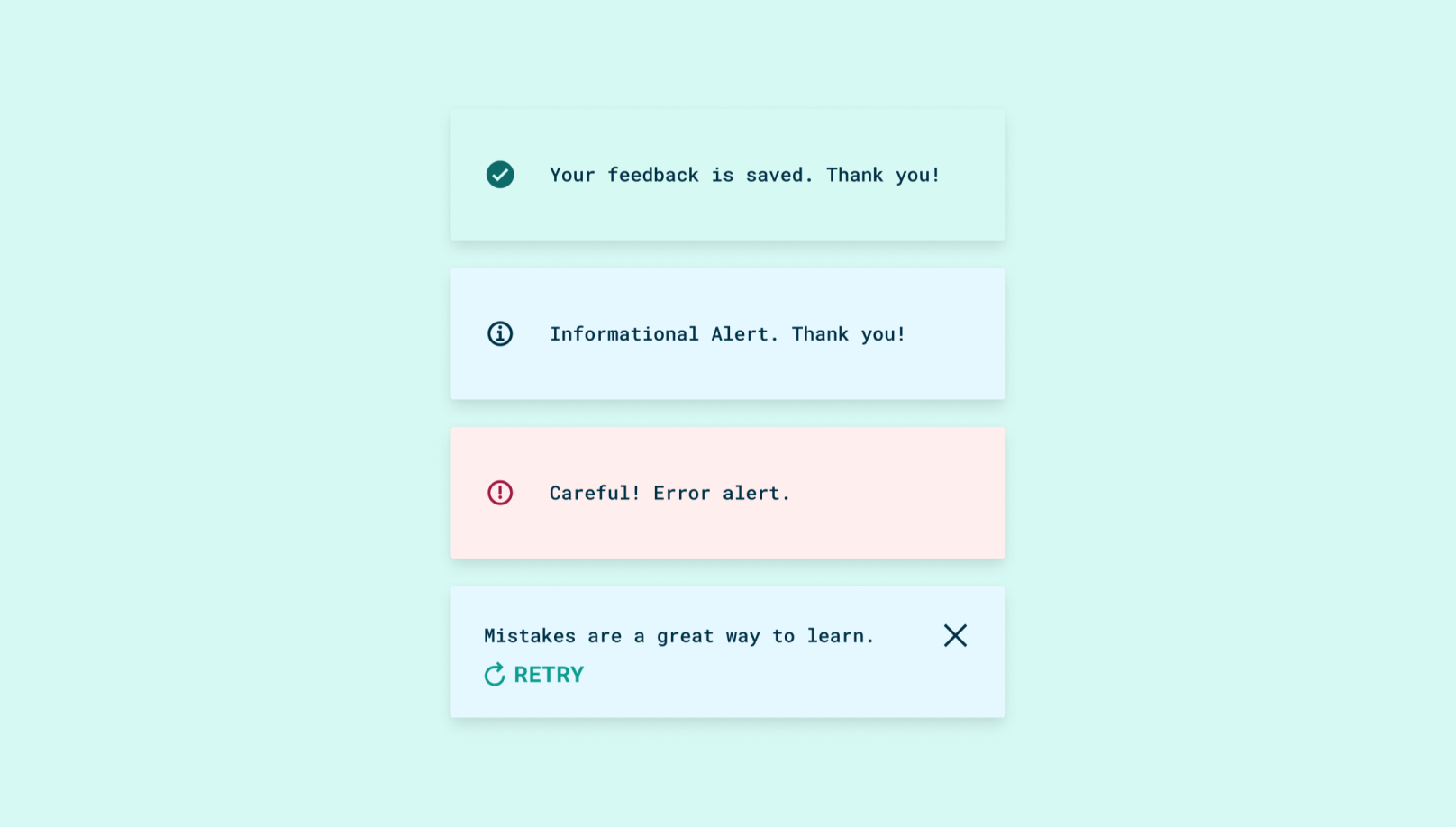
In some cases, users got error messages without knowing exactly where the problem was. For example, when the user was trying to sign into the system, the button was disabled. The system didn't provide clear visibility over why the button was not active for users to click.

Solution: we built consistent messaging, showing and explaining why the buttons or features are disabled in each step of the user's interaction.
Error Messages In The Forms Screenshot

Style Inconsistency Inside the Product

Our designers revealed that the client's initial portal had inconsistent styles between the landing page, overview, and course page, which was making the interface look half-finished and leading to the rise in the abandonment rate. The problem appeared to be two-sided. Besides visual inconsistency, some features' behavior was also changing from page to page, confusing the users as they had to re-learn how things worked every time they interacted with the portal.

Solution: We created a general guideline with a unified design concept. We changed the styles in inconsistent elements and outlined the interaction elements with correct markup tags and the same style. In addition, we aligned the color coding of the content with the general concept to avoid contradictive perception.
Consistency Screenshot

Information Overload

When students are in the process of learning, they need an online platform where they will be able to quickly orient and find the information they are looking for. Hence, any additional information that does not answer questions can irritate users. In this case, the students were getting a massive amount of data over one screen, making the whole UX more confusing.

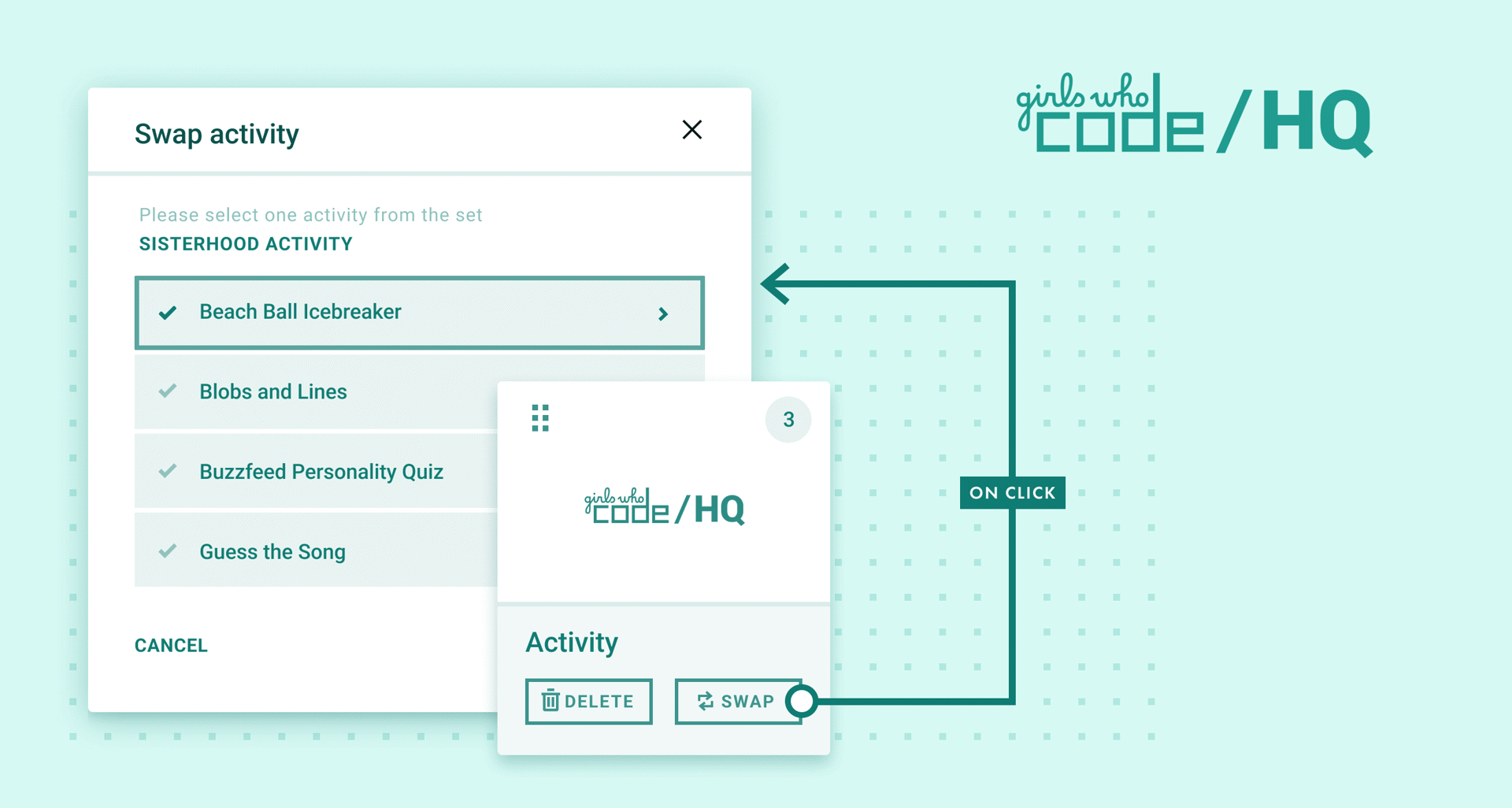
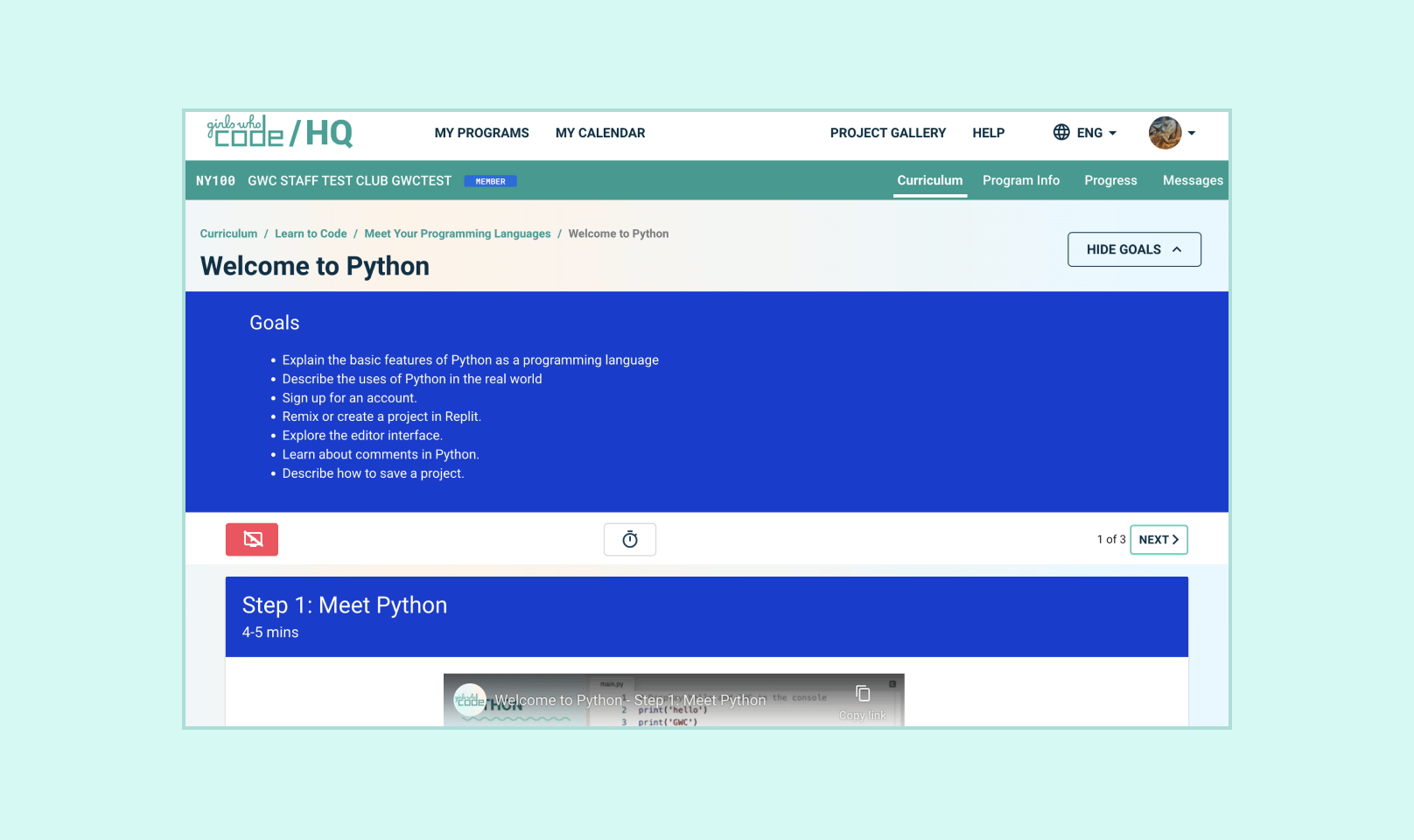
Solution: We added a defined structure to the courses to reduce the mental load and provide a precise order. In addition, we decided to outline the main tools of the system with a small popup window inside the course that would open as soon as the user started the course.
Information overload Screenshot

Unclear Navigation Structure

The platform had a complicated hierarchy with inconsistent behavioral patterns.

Solution: We tested the website's navigation structure to ensure the grouping and labeling of content and functionality matched the perception and expectation of the user. The information architecture was kept straightforward so that users could access necessary data quickly and easily.
 Unclear Navigation Structure Screenshot

Conducting Accessibility Review

We evaluated the UI components kit to make sure that the platform supports people with disabilities. The conducted accessibility review uncovered specific aspects of the portal that needed to be covered to make it WSAG compliant.

Here are some of the points revealed from the accessibility audit:

  • Color Contrast: Some people find it difficult to see text when there isn't enough contrast between it and the background, as in the case of light gray text on a light background. Utilizing color assessment WCAG guidelines, we evaluated the brand colors and determined the necessary adjustments.
  • Focus Fundamentals: Users with motor impairments, which could be anything from permanent paralysis to a sprained wrist, may rely on a keyboard or switch device to navigate the page, so a good focus strategy is critical to providing a good experience for them. To address this issue, we proposed making the entire website keyboard-navigable, guaranteeing a seamless user experience.

To make the accessibility audit more efficient, we have created a specific approach with a structured process.

Applying New UI Design

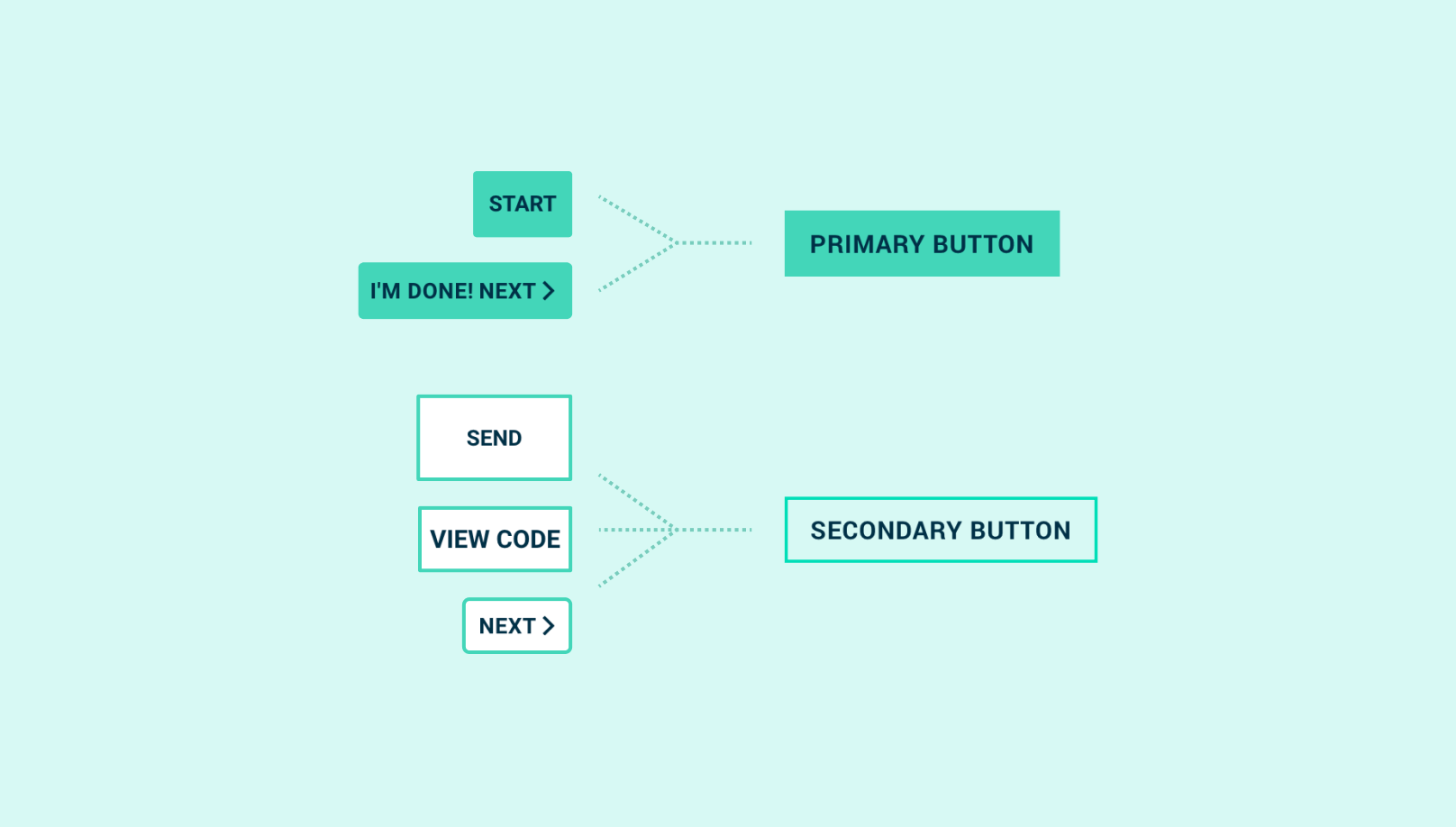
The design was based on the GWC's existing branding. We created a UI design system of reusable and modular components from the beginning. We created a UI pattern library organized in the appropriate sections (buttons, navigation, icons, etc.) and a style guide of colors and typography. Along with the pattern library and style guide, we expanded on specific spacing and text hierarchy rules by putting together relevant documentation.

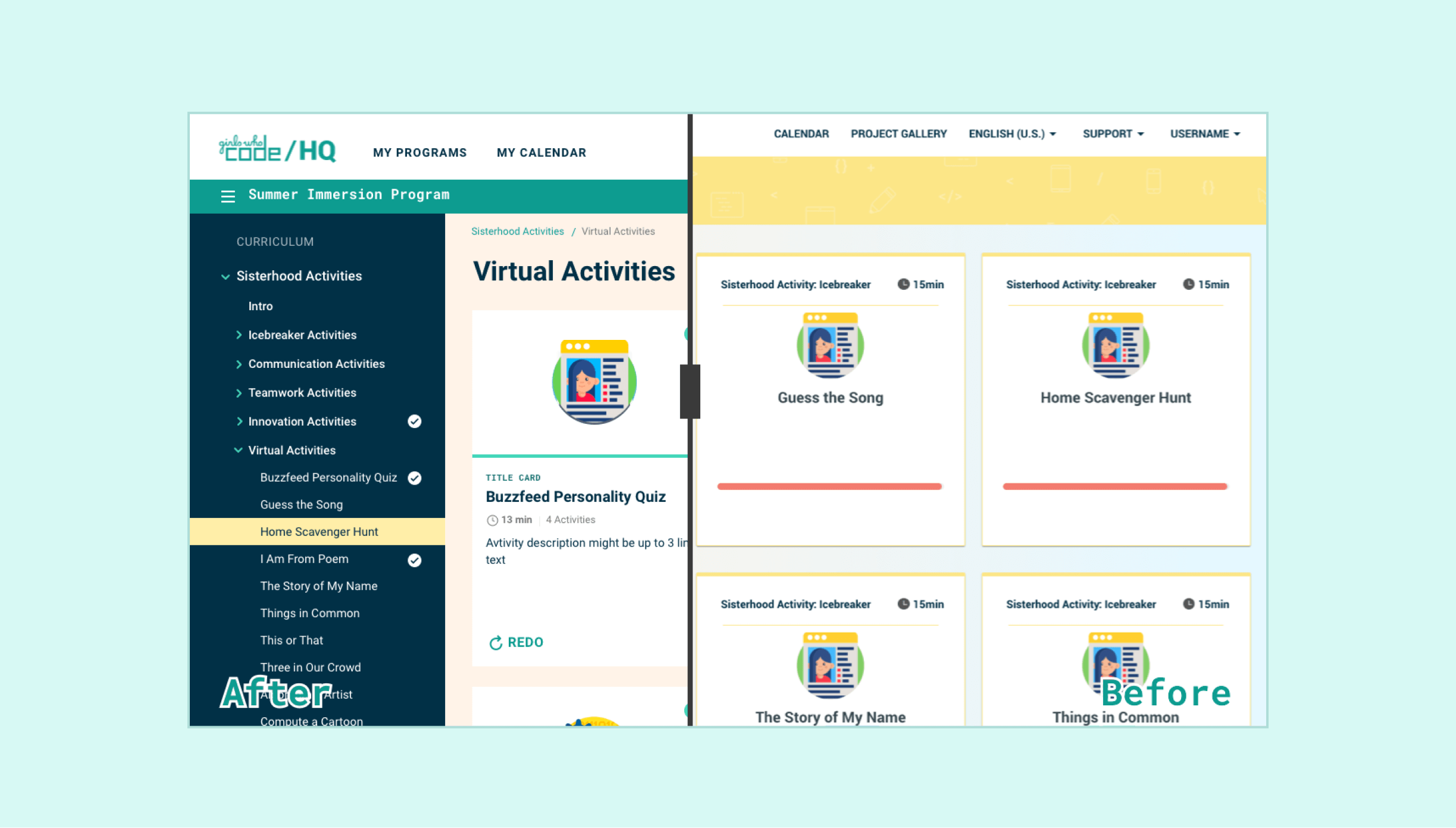
The visual design of the portal is based on simplicity. While using a light color palette, we support a quick connection to the brand and help visitors to avoid distractions. Simple content blocks with essential information are used everywhere, made to incorporate colors in combination with clear visuals.

Compare Screenshot

Conclusion

Our designers delivered inspiring and intuitive website that helps teachers and students to find resources more easily and efficiently. The new interface helps users smoothly run coding classes and accomplish their daily tasks without any interruptions. The UI design helped to achieve more modern and bolder look and feel for the portal and enrich the UX.

The success of this project hinged on the following factors:

  • identifying key interface elements that would support the best user experience
  • interactively delivering the solution - firstly the UX part, then the implementation in the form of a user interface
  • creating the interface, allowing for quick and easy navigation

Outcomes

First clickable prototype delivered in 4 weeksDesign for the alpha release delivered in 2 monthsSeamless handover to the engineering teamNo deadline missed in 3 months
Contact Us

Anastasia leads the dynamic DataArt Design Studio team of UI/UX specialists, 3/2D artists and webmasters and coordinating the resources, establishing the processes and working on both internal and external PR of UX services. Anastasia has a vast hand-on experience in design, which helps to be on the same page with designers and clients.

Head of Design Studio / Belgrade, Serbia
Anastasia Rezhepp
Head of Design Studio / Belgrade, Serbia